
After spending years building and using AI systems in real businesses, not just testing demos or writing about what is theoretically possible, here is a grounded breakdown of what AI is genuinely good for in a work context and where you should keep your expectations in check.
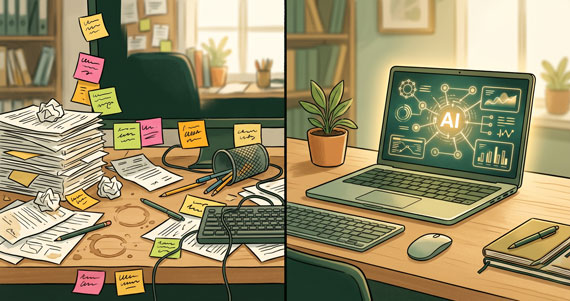
The three things AI is actually good at
These three categories cover roughly 90% of the useful AI work I have seen in practice. If you are considering where to invest your time, start here.
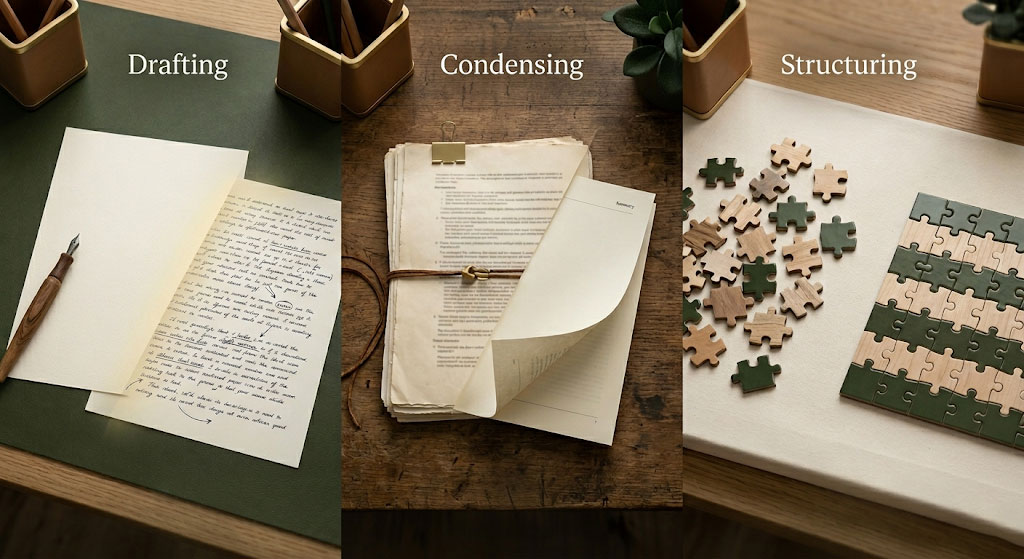
First drafts and frameworks
The single most reliable use of AI right now is turning a blank page into something you can edit. Whether it is a blog post, a client proposal, an email sequence, or a project brief, AI is excellent at taking a rough idea and producing a structured first pass.
The key word is “first pass.” The output is rarely publishable as is. But that is not the point. The point is that starting from a structured draft saves you 40 minutes of staring at a blinking cursor. You edit, refine, add your specific context, and publish something better than you would have written cold in half the time.
This works because first drafts are a pattern matching problem. AI has seen millions of email structures, proposal formats, and blog post outlines. It knows what a reasonable version of each looks like. What it cannot do is know your specific situation, your reader's history with you, or the nuance of your actual offer. That is where you come in.
“Forty seconds to generate the draft. Five-minute edit pass. Done. The impressive part is I didn't dread it anymore.”
From the Insight Division Labs free course
Summarising and extracting
If you have ever sat through a 45-minute meeting and thought “that could have been an email,” or opened a 30-page research report and wished someone would just tell you the three things that matter, AI handles this extremely well.
Competitor research, industry reports, long email threads, meeting transcripts, documentation pages. AI can consume all of it and return a concise, structured summary with the key points, decisions, and action items. The quality depends heavily on how you frame the request, but the raw capability is consistent and reliable.
The hidden win here is not just the time saved reading. It is that you are more likely to actually do the research when you know the extraction part takes 90 seconds instead of an hour. A messy 3-hour competitor comparison can turn into a structured brief in a couple of minutes, with the caveat that you still need to check the numbers yourself.
Routine decisions with clear rules
Anything that follows a pattern and has clear criteria is a good candidate for AI assistance. Prioritising your inbox by sender importance, flagging calendar conflicts based on your preferences, organising incoming information by topic, or drafting routine responses to common queries.
The key condition is “clear rules.” If you can describe the decision criteria in a sentence or two, AI can likely handle it. “Flag emails from clients marked urgent but not spam.” “Remind me of meetings that lack an agenda.” “Group all project updates into a single daily digest.” These are patterns, not opinions.
This is the area most small business owners underuse because they assume AI is too dumb for their specific workflow. It is not. But it does need you to be explicit about the rules. If you cannot articulate the rule yourself, AI cannot infer it either.
The three things AI is not good at
These are the areas where the marketing promises outrun the reality. Knowing these saves you from wasted effort and broken trust.
Creative strategy
AI can write you a blog post. It cannot tell you what your business should blog about. That question, “what should I build here?” is still a fundamentally human one. It requires understanding your specific market position, your audience's unspoken needs, your capacity, and your goals. AI does not have a point of view. It has averages.
This is why asking ChatGPT “what content should I create for my business” returns generic advice that sounds reasonable but applies to nobody in particular. The strategic decisions like positioning, differentiation, timing, and audience selection remain human work.
Nuanced judgement calls
Anything involving trust, relationship dynamics, subjective taste, or emotional intelligence falls outside AI's capability. A difficult email to a long-term client who is unhappy with your work. A performance conversation with a team member. A pricing decision that affects a relationship you have built over years.
AI can help you draft these. It can suggest phrasing and structure. But the final judgement, “is this the right thing to say to this person in this situation?” requires the context of a shared history that AI does not have access to.
The mistake people make is not using AI for these tasks. It is trusting the output without applying their own judgement. AI is a useful thinking partner here, not a decision maker.
Implementing what it suggests
This is the most overlooked limitation. AI will happily tell you how to set up an automation pipeline, write a marketing sequence, or restructure your workflow. It will not implement any of it. The gap between knowing what to do and having it done is where most AI projects stall.
The people who get real value from AI are not the ones who collect the best prompts or read the most newsletters. They are the ones who sit down and do the implementation work. AI accelerates the thinking part. It does not eliminate the doing part.

AI Limitations: Why This Distinction Matters
The gap between knowing about AI and using it well is wider than most people realise. It is easy to consume AI content like newsletters, LinkedIn posts, and YouTube videos and feel like you are making progress. But the feeling of falling behind often comes from comparing your actual day-to-day productivity to other people's carefully curated demonstrations of what AI can do.
Understanding AI limitations is the first step to using it well. The people doing genuinely well with AI right now are not the ones who have memorised every new tool. They are the ones who have identified a few specific, repeatable problems in their own work and set up simple systems to handle them. The three categories above are exactly where they focus.
If this distinction resonates with you, you might appreciate the free Insight Division Labs course. It walks through three practical AI setups that cover exactly the types of problems discussed here: competitor research, difficult emails, and background briefings. No hype, no tool-chasing, just a clear starting point.